
Screen Overview #
Sets Load Balancing feature that monitors total home power usage in real-time and automatically adjusts charging power so as not to exceed the home current limit even during charging.
It is recommended to set Household Current Limit (A) lower than the house main breaker capacity.
※ Provided Energy Monitoring Devices may vary depending on country and service policy.
Feature Details #
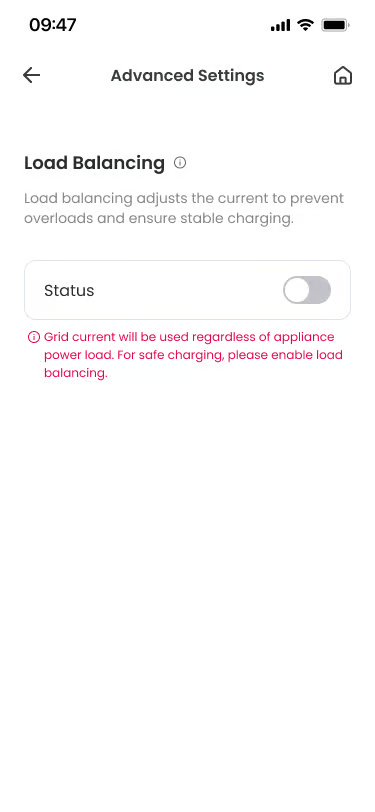
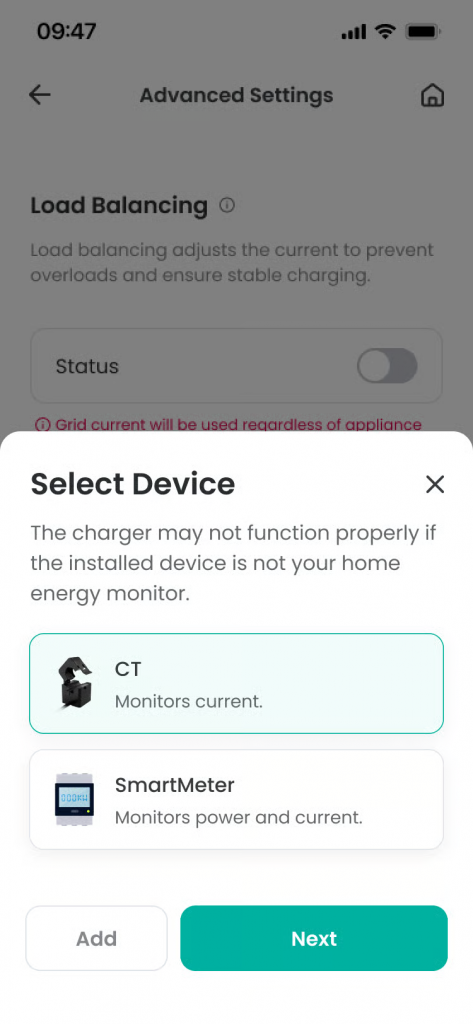
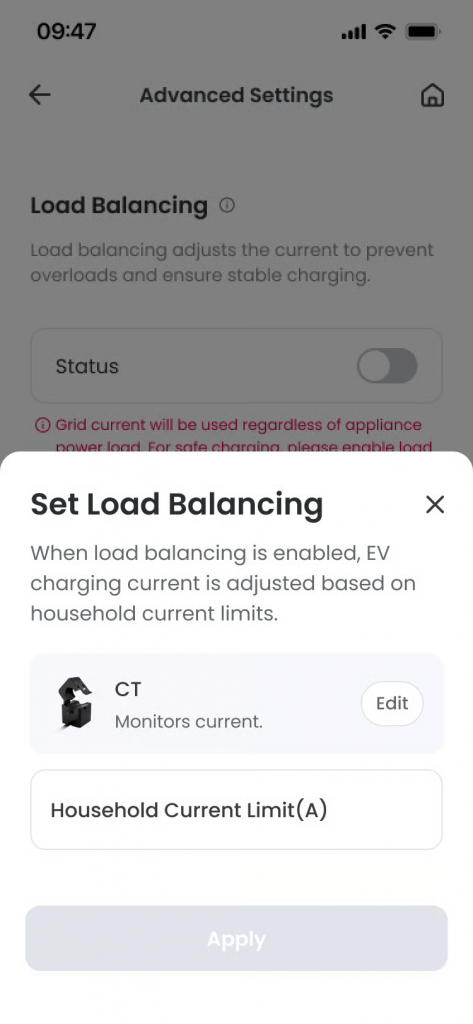
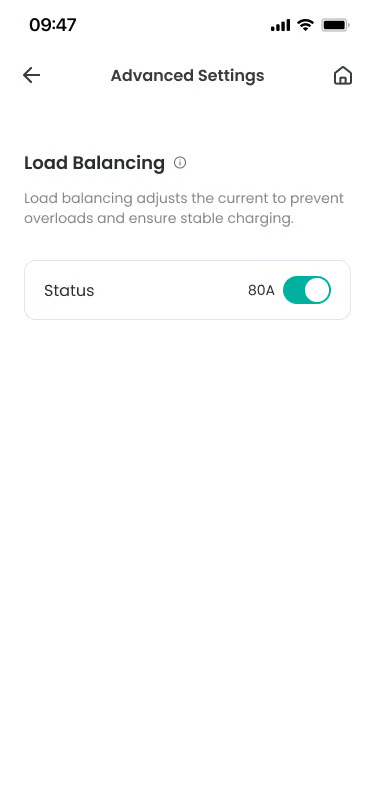
- Load Balancing Status Setting (ON / OFF)
Location: Top of screen
Functionality: Activates or deactivates the load balancing feature.
Notes: Default value is provided as OFF. - Energy Monitoring Device List
Location: When pressing Load Balancing status setting area
Functionality: You can add or select an Energy Monitoring Device to measure total home power usage.
Notes: If the device is selected or changed, it applies equally to the Energy Monitoring Device Management menu. - CT
Location: Energy Monitoring Device selection area
Functionality: Measures total home current in real-time through CT sensors.
Notes: “Household Current Limit (A)” input field is displayed when selected. - Enter Household Current Limit (A)
Location: Bottom of screen
Functionality: Sets the current limit for the entire home. It means the main breaker capacity of the house, and the charger adjusts power so as not to exceed this limit.
Notes: Must be entered if Load Balancing Status is ON.
Additional Info #
- Load Balancing Feature: Automatically adjusts charging power by monitoring other electricity usage in the home in real-time.
- Status Off: Charges with fixed current without using load balancing.
- Status On: Dynamically adjusts charging power so as not to exceed the total home current limit by linking with Energy Monitoring Device.
- Household Current Limit: It is safe to set this value slightly lower than the house main breaker capacity (e.g., 60A breaker → 55A setting).
- Recommended Safety Margin: It is recommended to set Household Current Limit to 80~90% level of main breaker capacity.
Technical Details #
- Setting Transmission: Load balancing settings are transmitted to the server and managed.
- Minimum Charging Current: If charging current drops below 6A due to load balancing feature, charging is paused.
FAQ #
- Q. What happens if I don’t use load balancing?
A. If you leave Load Balancing OFF, load balancing is not applied, and the charger operates based on the set charging current. - Q. How should I set the Household Current Limit?
A. Check the main breaker capacity of the house. For example, for a 60A breaker, it is safe to set Household Current Limit to 50~55A. If set too high, the breaker may trip. - Q. How do I check if load balancing is working?
A. Try turning on other high-power appliances (air conditioner, electric range, etc.) in the home during charging. If the charger’s power automatically decreases, load balancing is working normally. You can also check on the app’s real-time monitoring screen. - Q. Can I change load balancing settings later?
A. Yes, you can change load balancing settings at any time in the charger settings menu of the user app. Changes are applied immediately.
