
Screen Overview #
The charging schedule feature allows you to set the vehicle to charge only during desired time zones.
You can automatically start charging according to times when electricity rates are cheap or specific time zones.
Feature Details #
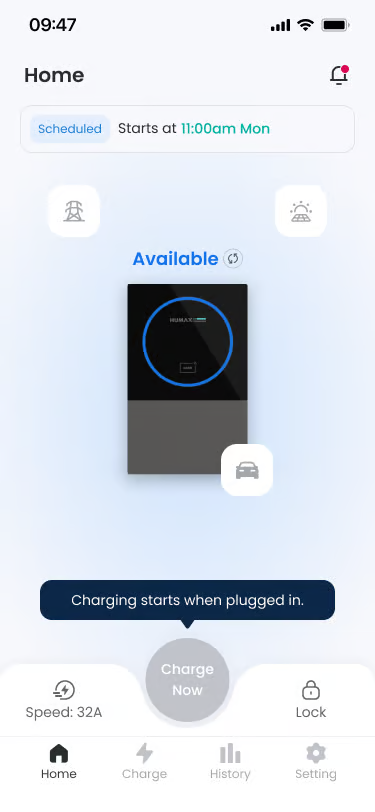
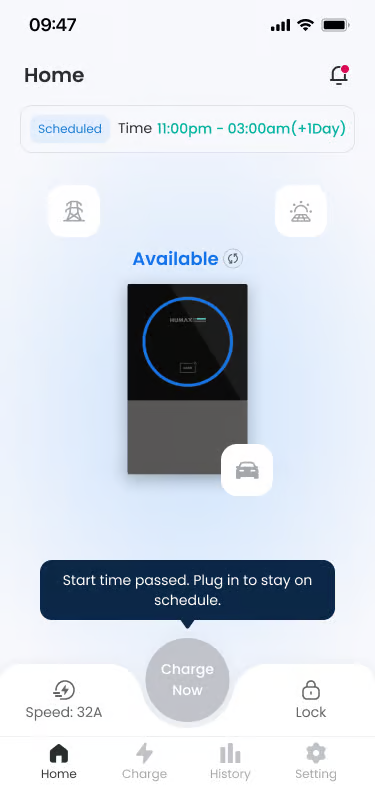
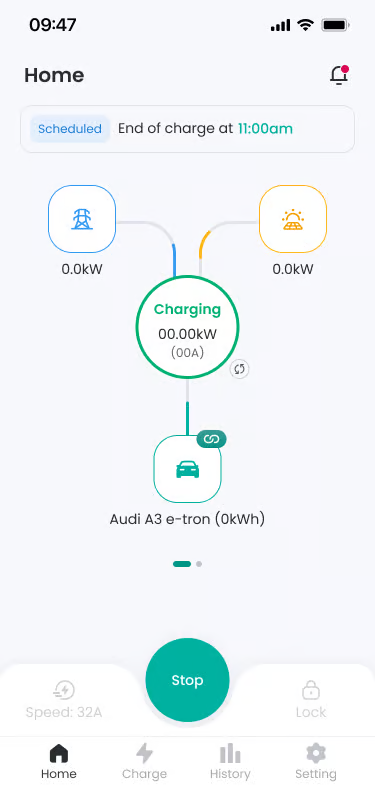
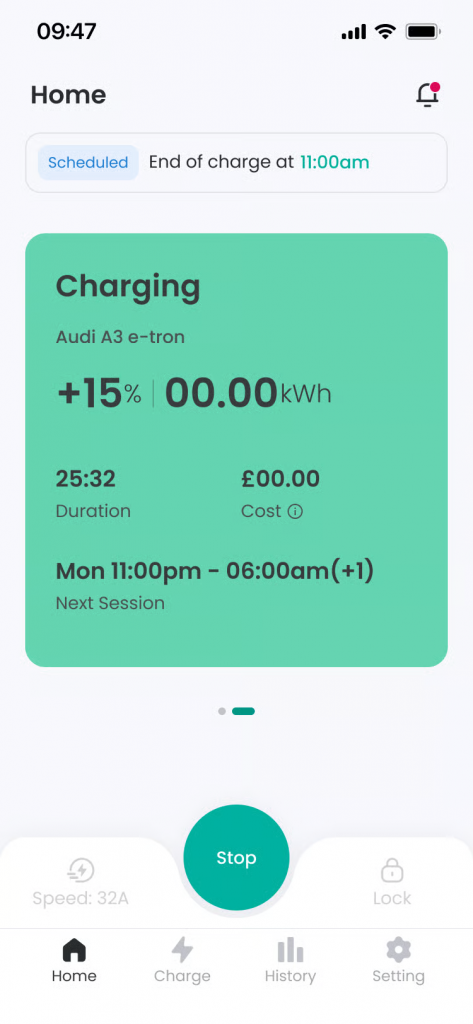
- Schedule Dashboard
Location: Top of screen
Functionality: Calculates and shows the total chargeable time for today based on the currently active schedule. - Schedule List
Location: Center of screen list
Functionality: You can check the list of registered charging schedules. Select each schedule card to modify time, repeating days, and activation status. Individual schedules can be set ON/OFF via toggle button, and if set to OFF, that schedule is not applied.
Notes: Charging schedule is created and provided as default value based on UK off-peak time, and modification and deletion are possible. - Add Schedule
Location: + button at top of list
Functionality: Registers a new charging schedule. You can set Start Time, End Time, Repeat status, and days.
Notes: If the end time is earlier than the start time, the end time is automatically set to the next day. (e.g., 22:00 ~ 04:00 → +1 day) - Reset
Location: Bottom of screen
Functionality: Returns all schedule settings to the initial state. Upon reset, all registered schedules are deleted. - Daylight Saving Time Application Guidance
Location: Top of screen
Functionality: Guidance is provided 3 days before Daylight Saving Time (DST) starts. When DST is applied, charging schedule time is automatically corrected, and the user does not need to modify separately.
Schedule Charging Flow #
- Connect Connector
Location: Step 1
Functionality: If you connect the connector to the vehicle while schedule charging is set, charging does not start immediately. The screen is displayed as Waiting status.
Notes: Charging start time can be checked on the main screen. - Vehicle Recognition
Location: Step 2
Functionality: If EV Identification function is ON, if recognized as an unregistered vehicle, guidance to choose charging approval or rejection is displayed.
Notes: If EV Identification function is OFF, it switches to Waiting status without vehicle recognition step. - Charging Wait Status
Location: Step 3
Functionality: Power is not supplied until the set schedule start time. The user just needs to wait without separate manipulation.
Notes: Pressing the Charge Now button on the home screen allows immediate charging regardless of schedule and random delay application status. - Charging Starts at Schedule Time
Location: Step 4
Functionality: When the set schedule start time arrives, charging starts automatically, and screen status changes to Charging. You can check real-time power information supplied from Grid and Solar.
Notes: If Random Delay function is activated, charging may start after waiting for a while. - Charging Ends at Schedule End Time
Location: Step 5
Functionality: When the schedule end time arrives, charging ends automatically and Finishing screen is displayed. Pressing the ‘Confirm’ button on the screen or disconnecting the connector from the vehicle ends the Finishing screen. - Restart Charging
Location: After charging ends, connector not disconnected
Functionality: If the connector is not disconnected after charging ends, charging starts automatically again at the next schedule start time.
FAQ #
- Q. I want to charge immediately even if there is a charging schedule.
A. Even with schedule charging activated, pressing the Charge Now button on the home screen or using a registered RFID tag allows you to start charging immediately. - Q. There is a charging schedule but charging doesn’t happen.
A. If a charging schedule or charging limit (%) is set in the vehicle itself, charging may not start even if a charging schedule is set in the app. In this case, the vehicle remains in charging standby state, and even if the charger is in normal state, power is not supplied because the vehicle does not allow charging. Please check if charging schedule and charging limit are set on the vehicle display or vehicle app, and modify the charging schedule and charging limit information set in the vehicle. - Q. What happens if I change the schedule during charging?
A. The changed charging schedule is applied after the current charging session ends. - Q. How does it work if there is no charging schedule?
A. If there is no charging schedule or it is deactivated, it switches to Instant Mode and charging starts immediately upon connector connection.
