
Screen Overview #
Instant Mode is the simplest and most intuitive charging method.
Charging starts just by connecting the connector to the vehicle without complex settings.
Feature Details #
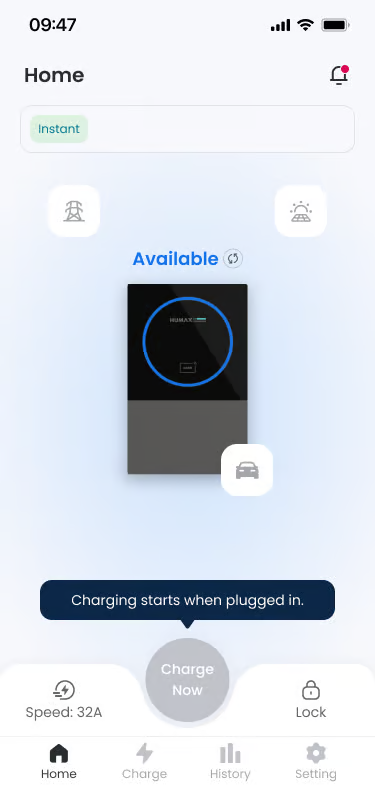
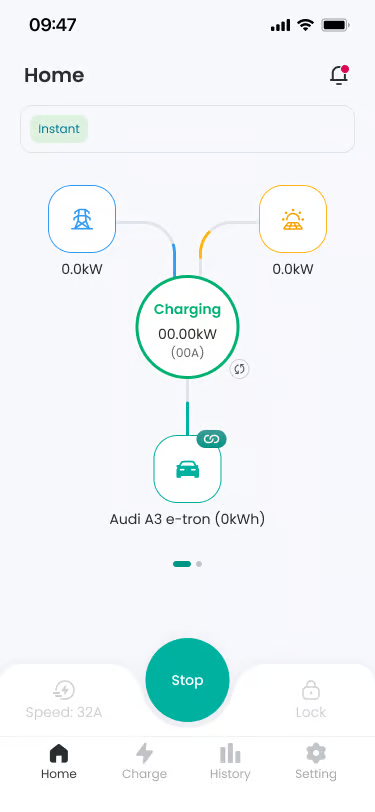
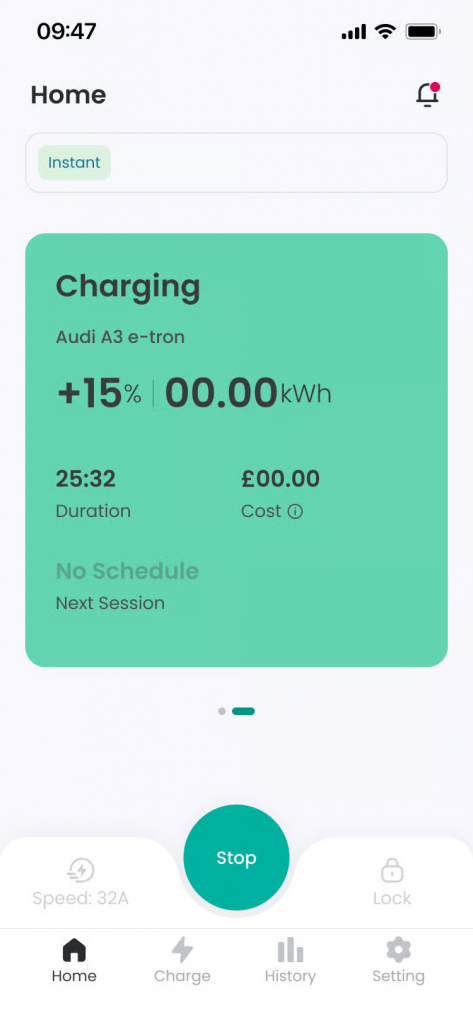
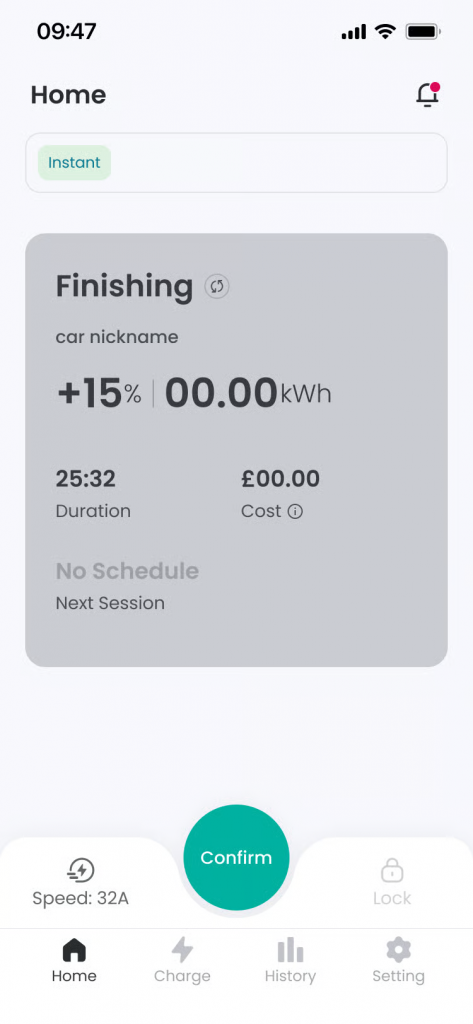
- Connect Connector
Location: Step 1
Functionality: When you connect the charging connector to the vehicle, charging preparation starts without separate app manipulation.
Notes: When connection is detected, “The connector is connected. Charging will begin shortly.” notification is displayed on the screen. - Vehicle Recognition
Location: Step 2
Functionality: If EV Identification function is ON, if recognized as an unregistered vehicle, guidance to choose charging approval or rejection is displayed.
Notes: If EV Identification function is OFF, charging starts immediately without vehicle recognition step. - Charging Progress
Location: Step 3
Functionality: Charging starts in earnest, and the screen status changes to ‘Charging’. You can check real-time power information supplied from Grid and Solar.
Notes: You can adjust charging speed even during charging. - Charging Completion and Stop
Location: Step 4
Functionality: When the user presses the ‘Stop’ button, charging ends and the Finishing screen is displayed. Pressing the ‘Confirm’ button on the screen or disconnecting the connector from the vehicle ends the Finishing screen.
Notes: You can also end charging by disconnecting the charging connector from the vehicle or tagging a registered RFID card. - Restart Charging
Location: After charging ends, the connector is not disconnected
Functionality: If the connector is not disconnected from the vehicle after charging ends, you can restart charging by pressing the ‘Charge Now’ button.
FAQ #
- Q. What kind of method is Instant Charging Mode?
A. Instant Charging Mode is a method where charging starts immediately when the charging connector is connected to the vehicle. You can proceed with charging right away without separate reservation settings or additional manipulation. - Q. Why does charging start even though I didn’t press a button in the app?
A. For Instant Mode, connector connection itself is the condition for starting charging. When the connector is normally connected to the vehicle, charging starts automatically. - Q. I connected the connector, but charging doesn’t start and a guidance message is displayed.
A. If the charging connector is normally connected but does not switch to the charging start stage for a certain period, a guidance message such as “Please disconnect and reconnect the charging connector.” may be displayed. If you completely disconnect the connector from the vehicle and reconnect, the charging status is checked again and charging may start normally. - Q. I connected the connector but charging doesn’t start immediately.
A. Wait guidance may be displayed if 1) Vehicle recognition (EV Identification) procedure is in progress, 2) Charger or vehicle status is being checked - Q. I stopped charging, how do I start again?
A. If the connector is not disconnected from the vehicle after ending charging, you can start charging again by pressing the ‘Charge Now’ button displayed on the screen.
