
Screen Overview #
This is a mandatory step to finally finalize the installation process and activate the warranty after the charger installation process is finished.
If you enter owner information and add installation notes in the Notify Owner tab and then press the Send Email button, an email guiding installation completion and app download is sent to the charger owner, and ownership is transferred.
Feature Details #
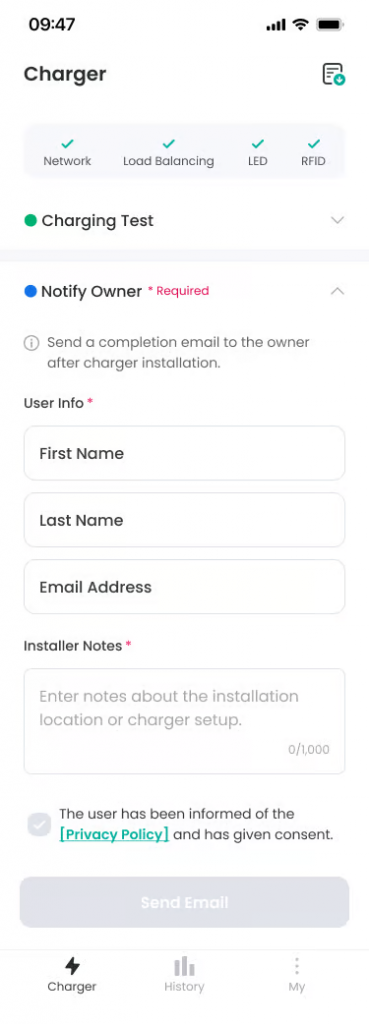
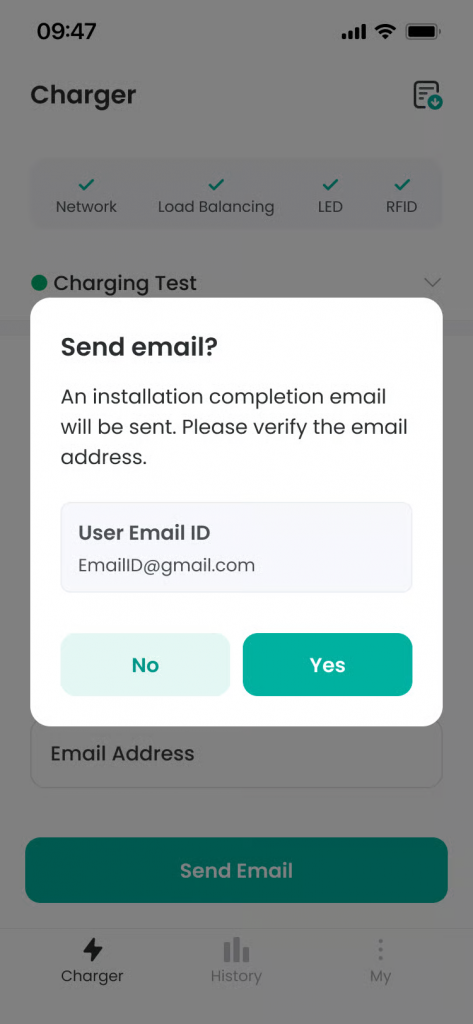
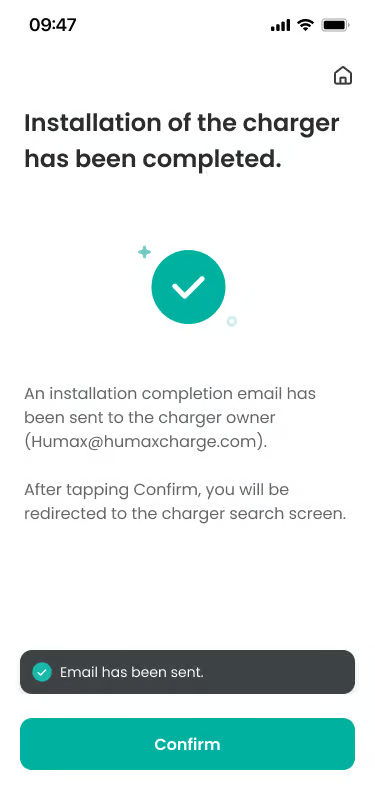
- Notify Owner Section
Location: Below Charging Test Section
Functionality: Mandatory section to send installation completion notification to charger owner. Emphasizes it is a mandatory item with blue dot and “* Required” badge and text.
Notes: Default is collapsed, and owner information input form is displayed when clicked. - User Info Section
Location: Below Notify Owner Guidance Text
Functionality: Section to enter basic information of charger owner. Indicates mandatory item with blue dot 1 and “* mark.
Notes: Includes three input fields: First Name, Last Name, Email Address. - First Name Input Field
Location: Within User Info Section
Functionality: Mandatory input field to enter charger owner’s name.
Notes: Empty state or entered value is displayed. If not entered, Send Email button is deactivated. - Email Address Input Field
Location: Within User Info Section
Functionality: Mandatory input field to enter charger owner’s email address.
Notes: Must be valid email format, and if not entered, Send Email button is deactivated. - Installer Notes Section
Location: Below User Info Section
Functionality: Optional section to enter notes about installation location or additional settings.
Notes: Up to 1000 characters can be entered, and current character count is displayed. - Send Email Button
Location: Below Privacy Policy Agreement
Functionality: Button to send installation completion notification email with entered owner information. When email is sent, “Installation Complete” screen is provided, and pressing confirm button ends installation process and moves to charger search screen. If owner email information was entered incorrectly, modification is possible on the same screen, and mail is resent upon modification.
Notes: Activated with the active color background when all mandatory input fields are filled.
Additional Info #
- Mandatory Step: Notify Owner is a mandatory step for warranty activation.
- Owner Info Mandatory: First Name, Last Name, Email Address are all mandatory input items.
- Installer Notes Optional: Up to 1000 characters can be entered.
- Warranty Activation: Charger warranty is automatically activated when email sending is completed.
FAQ #
- Q. Can I skip Notify Owner?
A. No, Notify Owner is a mandatory step for warranty activation.
