
Screen Overview #
You can check major event notification history such as charger status, charging start and completion. In the notification setting screen, you can manage whether to receive push notifications by notification type.
Feature Details #
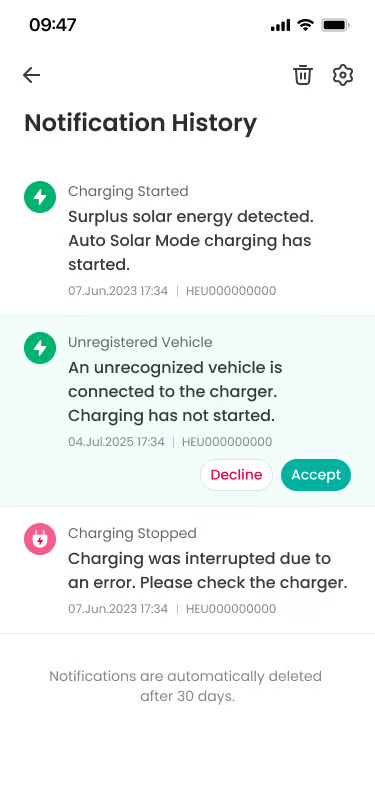
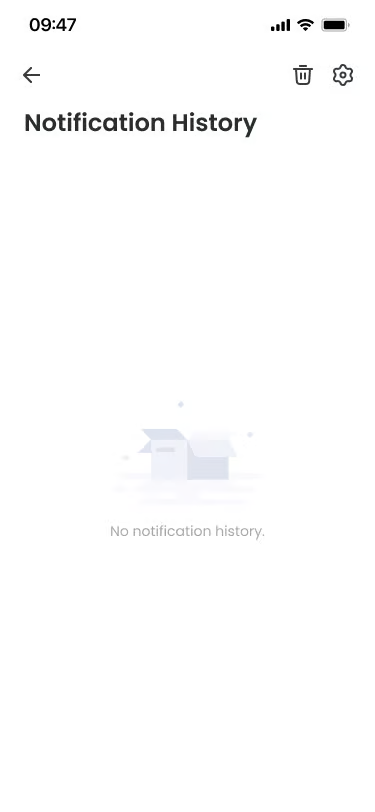
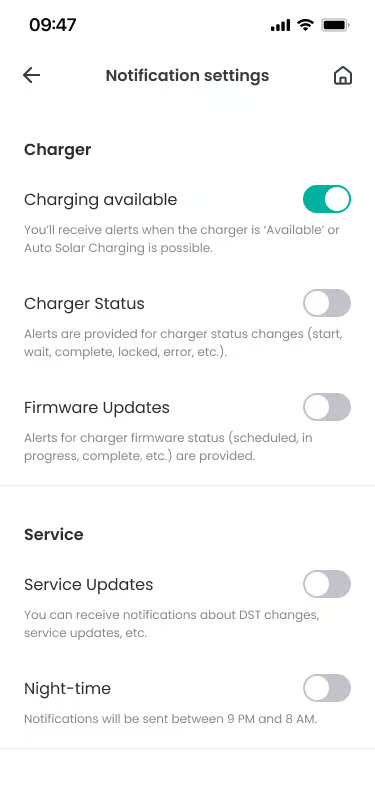
- Notification History
Location: Main Screen
Functionality: Displays received notification list in latest order. You can check related information such as notification title, content, reception time, etc.
Notes: Notifications older than 30 days are automatically deleted. - Delete All
Location: Top right of screen
Functionality: Deletes all currently saved notification history at once.
Notes: Reconfirmation popup is displayed before deletion. - Notification Settings
Location: Top right of screen (Settings button)
Functionality: Moves to the screen managing whether to receive push notifications by notification type.
Notes: You can also move to notification setting screen from settings screen.
FAQ #
- Q. Notification history disappeared.
A. Notification history is kept for only 30 days, and is automatically deleted after that. - Q. I don’t want to receive notifications at night.
A. If you turn off ‘Night-time’ setting in notification settings, notifications will not come from 9 PM to 8 AM the next day.
