
Screen Overview #
You can register and manage RFID cards to use for charging authentication.
You can register RFID cards by scanning barcode or QR code on the back of RFID card or directly entering the number.
※ 2 RFID cards enclosed in the box upon charger purchase can be used immediately when charger is installed without registering in the app.
(Depending on charger production time, corresponding feature may not be supported.)
Feature Details #
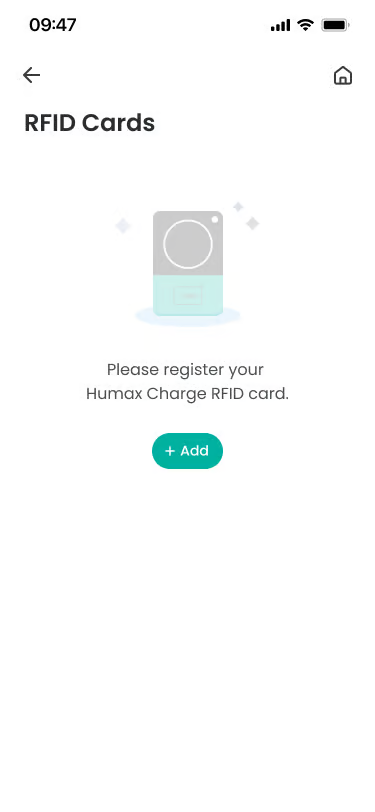
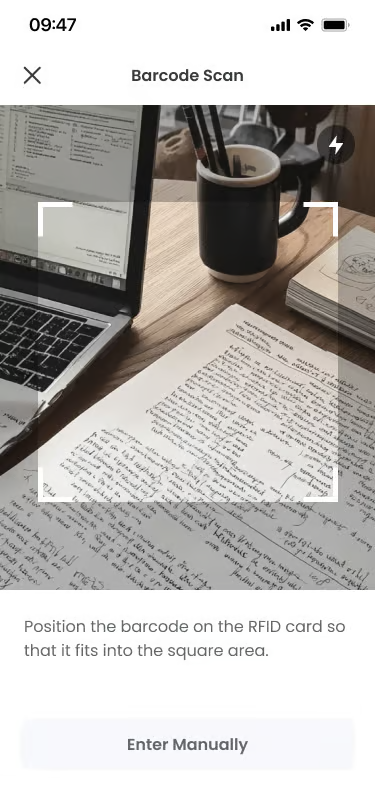
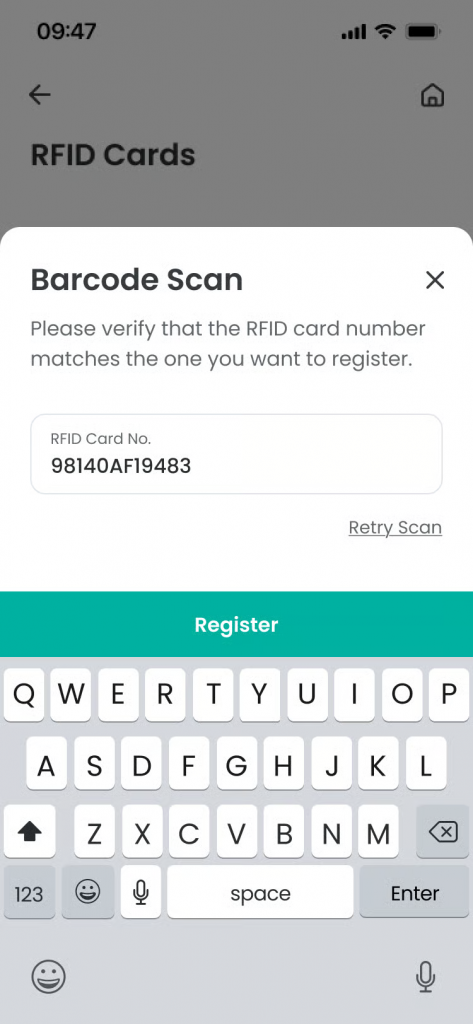
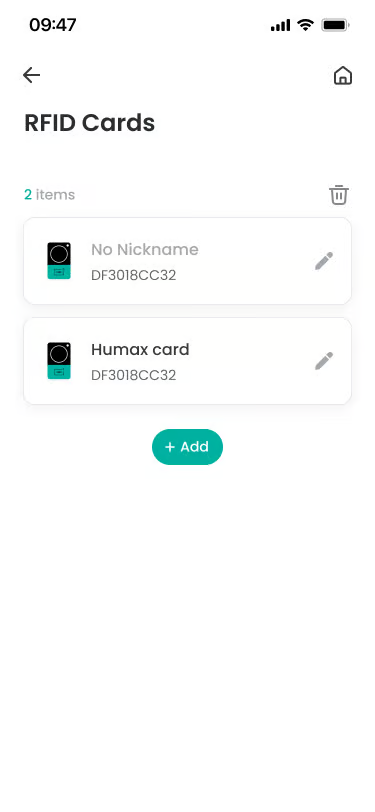
- RFID Card List
Location: RFID Card Management Screen
Functionality: You can check the list of RFID cards registered to the charger. Card nickname and card number are displayed for each card item.
Notes: If there are no registered RFID cards, guidance text is displayed. - Register RFID Card (Barcode/QR Scan)
Location: Card Addition Screen
Functionality: You can register a new RFID card to the charger by camera scanning the barcode or QR code on the back of the RFID card.
Notes: Provided registration method may differ depending on charger model. - Register RFID Card (Direct Input)
Location: Card Addition Screen
Functionality: Register by directly entering RFID card information.
Notes: Please enter RFID card information accurately. - Delete RFID Card
Location: Top of RFID Card List
Functionality: Select and delete cards no longer in use. You can delete one or multiple cards simultaneously.
Notes: Upon deletion, corresponding RFID card can no longer be used for charging. RFID cards stored in charger via installation technician cannot be deleted and delete impossible icon is provided.
Specific Scenarios #
- When RFID card is not recognized for charging
It may be an unregistered RFID card or an already deleted card.
→ Please check if RFID card is normally registered.
→ It may not be recognized if the card is damaged or out of recognition range.
→ If problem persists, please re-register RFID card when charger is online.
Technical Details #
- RFID card information registered in app is stored in platform server.
- Information is synchronized between charger and server upon card registration and deletion.
- It may take time for some information to reflect depending on charger and server connection status.
FAQ #
- Q. How many RFID cards can be registered?
A. Currently there is no limit to registration number. Number of registerable RFID cards may be restricted depending on service policy. - Q. Do I need to set an RFID card nickname?
A. RFID card nickname is not a mandatory item. If there is a need to distinguish charging history by member, registering nickname helps in management. - Q. If I delete RFID card, is charging record deleted too?
A. No. RFID card deletion removes card usage permission only and does not affect charging records.
