
Screen Overview #
This is the process of creating a new account to use the service.
You can complete the sign-up through agreement to terms based on the sign-up country, email verification, and setting mobile phone number and password information.
Feature Details #
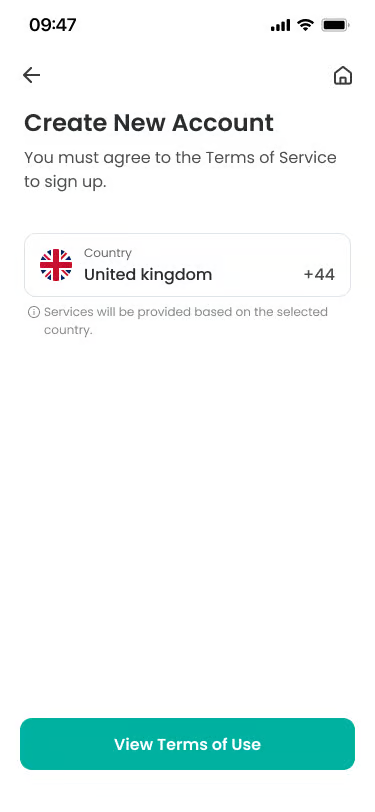
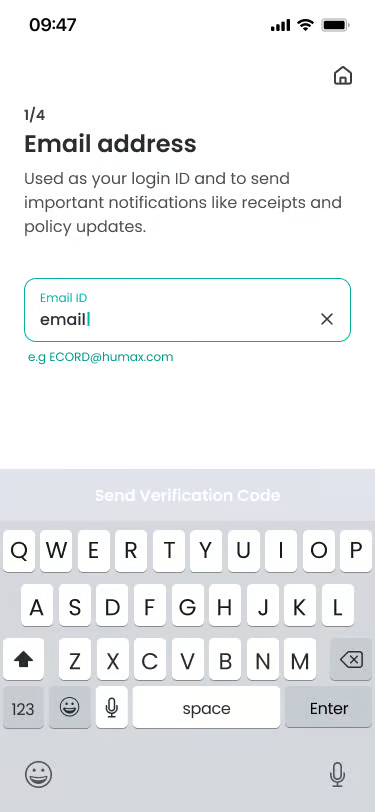
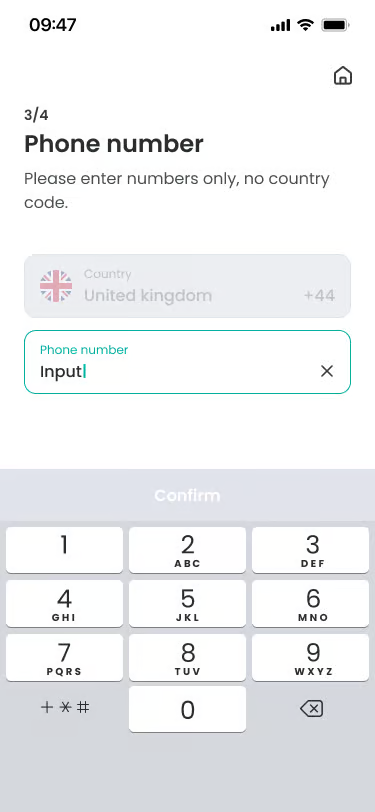
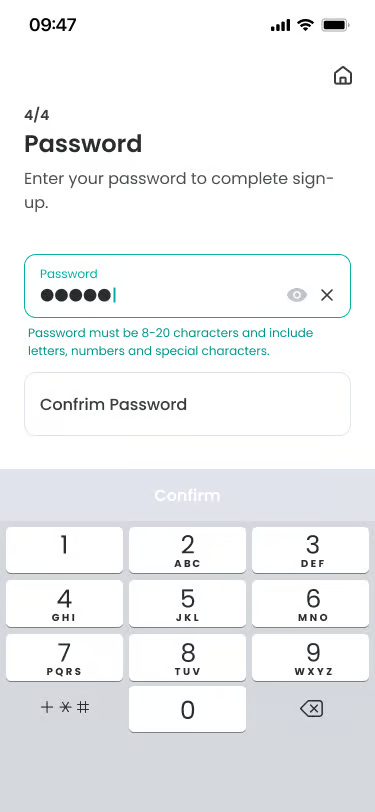
- Agree to Terms
Location: First step of sign up
Functionality: Agree to the service terms of use and privacy policy according to the sign-up country.
Notes: You must agree to all required terms to proceed to the next step. - Enter Email ID and Verification
Location: After terms agreement
Functionality: Enter the email address to use as a login ID. Email cannot be duplicated and is used for receiving important notifications.
Notes: You must enter a valid email format to receive the verification code. - Register Mobile Number
Location: After email verification
Functionality: Enter the user’s mobile phone number.
Notes: Cannot be duplicated with mobile phone numbers used for other accounts. - Set Password
Location: After registering mobile number
Functionality: Set the password to use for login.
Notes: Must be a combination of 8 or more characters including letters, numbers, and special characters.
Additional Info #
- Country Change: The country selected at sign-up may affect service usage policies and currency units.
- Email Verification: You must check the verification code sent to the entered email to complete identity verification.
Specific Scenarios #
- Email already registered
Displayed when the entered email is already a registered account.
→ “This email is already registered.” message is displayed.
→ You should move to the login screen or use a different email. - Verification code mismatch/expired
Case where the entered email verification code is incorrect or the valid time has passed.
→ You can receive a new verification code by pressing the Resend button.
FAQ #
- Q. I am not receiving the verification email.
A. Please check your spam folder or verify if the entered email address is correct again. You can receive the verification code again by pressing the “Resend” button. - Q. What are the password setting rules?
A. You must set it to 8 or more characters including letters, numbers, and special characters.
